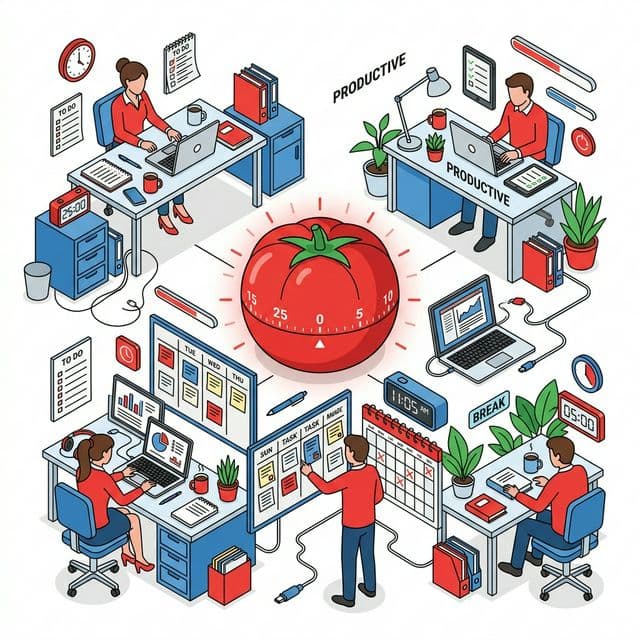
Boost Focus with the Pomodoro Technique: Transform Your Work-From-Home Productivity
Struggling to stay focused while working from home? Discover how the Pomodoro Technique uses 25-minute work sprints and structured breaks to dramatically boost concentration and output.
Why Remote Work Kills Concentration
Working from home brings new productivity challenges:
- You "work" for 2 hours but realize only 30 minutes were actually focused
- Social media, household chores, and family keep pulling you away
- Without a commute or office structure, the boundary between work and downtime blurs
- You either over-rest (procrastinating) or under-rest (burning out)
The Pomodoro Technique directly addresses all of these problems with a simple, proven structure.
Pomodoro TimerBoost your focus with a 25-minute Pomodoro timer featuring browser alerts.It lets you start a session immediately from your browser—no app installation required.
What Is the Pomodoro Technique?
Developed in the late 1980s by Italian entrepreneur Francesco Cirillo, the Pomodoro Technique is named after the tomato-shaped (pomodoro = tomato in Italian) kitchen timer he used as a student.
The Core Rules
- Choose a task to work on
- Work for 25 minutes with full focus (this is 1 "pomodoro")
- Take a 5-minute break
- After 4 pomodoros, take a longer break of 15–30 minutes
Repeat. That's it. The genius is in the simplicity.
Why 25 Minutes? The Neuroscience Explanation
Human attention has a measurable limit.
The Attention Span Research
A widely cited Microsoft study (2015) found that the average human attention span had dropped to approximately 8 seconds—shorter than a goldfish. Whether or not you accept that specific finding, it reflects a broader truth: sustained focus on a single demanding task is biologically costly and time-limited.
Research suggests deep, sustained concentration can be maintained for maximum 45–50 minutes before significant quality degradation begins. The 25-minute interval sits comfortably within this window while also feeling short enough to psychologically motivate starting.
Working Memory Optimization
The 25-on/5-off cycle allows the prefrontal cortex's working memory to refresh. Metabolic byproducts accumulate in the brain during sustained effort; short breaks clear them, restoring cognitive clarity.
5 Tips for Maximizing Pomodoro Technique at Home
1. Break Tasks Down Into Pomodoro Estimates Before Starting
Instead of "write report," define it as:
- "Write report introduction" (1 pomodoro)
- "Analyze data and create charts" (2 pomodoros)
- "Write conclusions and edit" (1 pomodoro)
Why it works:
- Progress becomes visible and motivating
- Your time estimation accuracy improves over time
- Each completed pomodoro provides a small achievement hit
2. Capture Interruptions Instead of Acting on Them
When a thought interrupts you mid-pomodoro ("I should reply to that email"), write it down immediately and return to your task. Your brain releases the thought once it knows it's recorded.
3. Actually Disconnect During Breaks
A 5-minute break where you check email or think about your work isn't a break—it's continued cognitive load. Effective break activities:
- Stand up and stretch or get water
- Look out a window to relax eye focus muscles
- Simple breathing exercises
- Avoid: social media, news, email (your brain doesn't recover)
4. Create a "Work Mode" Environment
| Action | Specifics |
|---|---|
| Silence notifications | Phone, computer, Slack, email alerts OFF |
| Anchor your workspace | "When I sit at this desk, it's work time" |
| Background audio | Lo-fi music, nature sounds, or white noise |
| Clear your visual field | Remove clutter from sight to reduce distraction triggers |
5. Use Long Breaks for Genuine Recovery
After 4 pomodoros, your 15–30 minute break should involve physical movement. A 20-minute nap during this time dramatically improves afternoon performance for most people.
Tasks That Work Well (and Poorly) with Pomodoro
Works Well ✅
- Writing, reports, emails requiring thought
- Programming and coding
- Presentation and document creation
- Studying, memorizing, reviewing materials
- Data analysis and spreadsheet work
Less Ideal ⚠️
- Creative flow states (when you're deep in a design or writing groove, a forced 25-minute stop can cost more than it saves)
- Real-time team collaboration (meetings, pair programming)
- High-volume quick tasks (batch email replies where each takes under 2 minutes)
For these situations, adjust the interval—45 minutes + 10 minutes, or 52 minutes + 17 minutes (based on DeskTime productivity research)—to match the task's natural rhythm.
Using Pomodoro Records to Understand Your Focus Patterns
One underappreciated benefit of the Pomodoro Technique: your work log accumulates automatically.
"Today I completed 4 pomodoros in the morning but only 2 in the afternoon" reveals:
- Your personal peak concentration times
- Which types of tasks drain you fastest
- How much time is actually consumed by meetings and interruptions
Use this data to schedule your most demanding work during your peak hours and protect those blocks from meetings and distractions.
Structuring a Full Workday with Pomodoro
Sample 8-hour workday schedule:
- 9:00–10:40: Morning focus block (4 pomodoros)
- 10:40–11:00: Long break (20 minutes)
- 11:00–12:20: Late morning block (3 pomodoros)
- 12:20–13:20: Lunch break
- 13:20–15:00: Early afternoon block (4 pomodoros)
- 15:00–15:20: Long break
- 15:20–17:00: Late afternoon block (4 pomodoros)
Total: ~15 pomodoros (6h 15min of focused work) + 1h 45min scheduled breaks. This structure produces more actual output than 8 hours of unfocused presence at a desk.
FAQ
Q. 25 minutes feels too short (or too long) for me. Can I adjust it?
A. Absolutely. The most important element is the structure—timed work periods with mandatory breaks. Common variations include 52 minutes + 17 minutes (supported by DeskTime research) and 45 + 10. Start with 25 minutes to establish the habit, then experiment to find your personal optimal interval.
Q. What should I do when external interruptions happen (phone call, family member)?
A. For internal interruptions (your own wandering mind): note the thought and return to work. For external interruptions: if urgent, handle it and restart your pomodoro; if non-urgent, tell them you'll respond in X minutes when your pomodoro ends, then actually follow through.
Q. I work from home with young children. Can Pomodoro still help?
A. It's particularly effective in this situation. Identify your reliable focused windows (nap times, school hours) and concentrate your most demanding pomodoros there. You can also use the pomodoro end as a natural transition signal—a built-in reason to stop work and give full attention to your child without guilt.
Summary: Eliminate Remote Work Drift with Pomodoro
Most remote work productivity problems stem from undefined, shapeless work time—no clear start, no clear end, no structure. The Pomodoro Technique solves this by creating artificial urgency and predictable recovery cycles.
Try just one 25-minute session on your most important task right now. Notice the difference in focus quality when the end is in sight. That one session might change how you work forever.
Pomodoro TimerBoost your focus with a 25-minute Pomodoro timer featuring browser alerts.